Windows Server Domain Setup + GPO Automation + Backup & Recovery
Overview
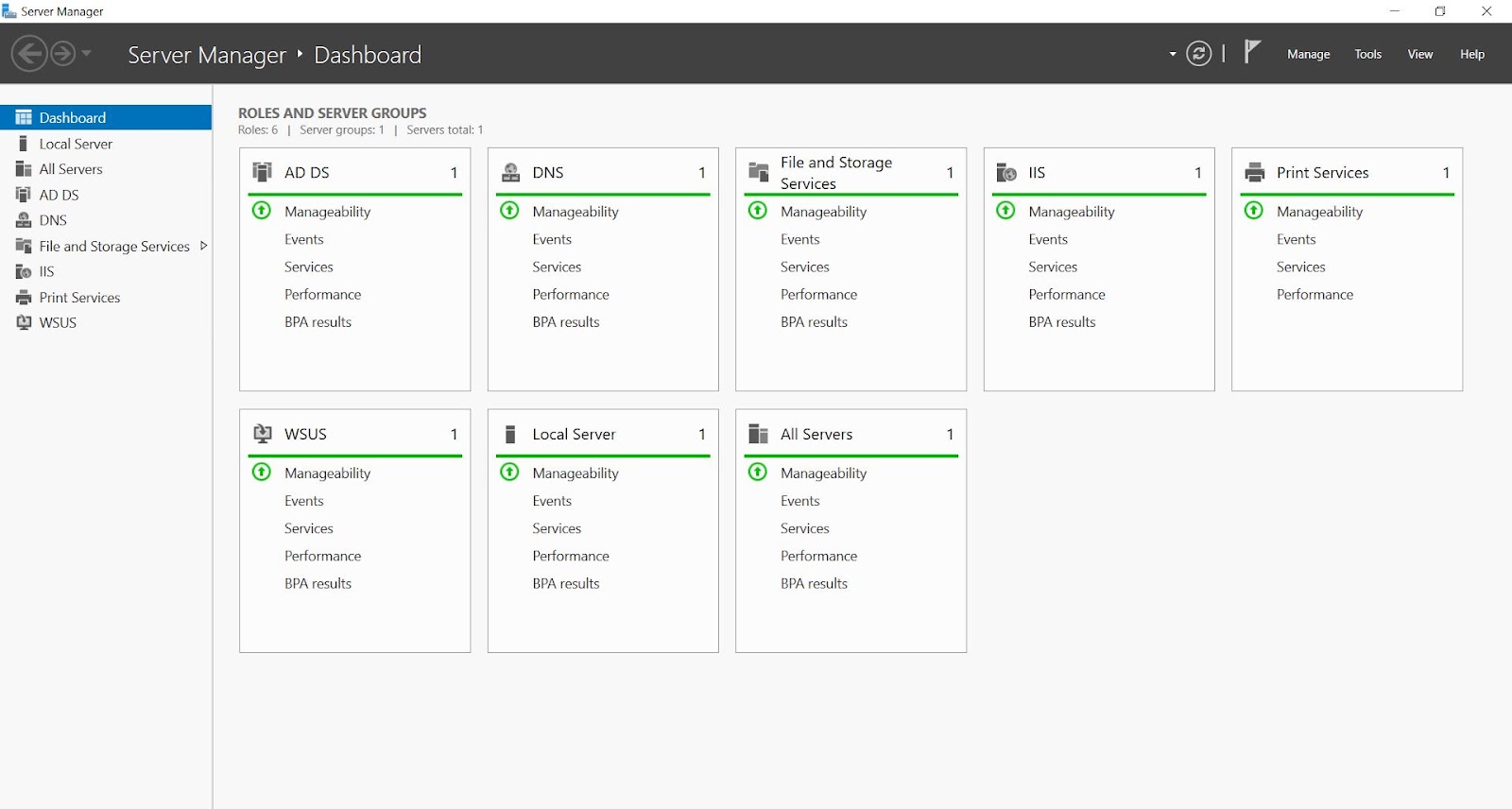
Designed and implemented a modern enterprise-grade IT infrastructure using Windows Server 2022 to centralize identity management, strengthen network security, and automate administrative operations. The solution leveraged Active Directory Domain Services (AD DS) integrated with DNS for seamless authentication and name resolution across the organization.
A structured Organizational Unit (OU) hierarchy was created to organize departments efficiently and enable precise policy application. Group Policy Objects (GPOs) were implemented to standardize configurations, enforce security policies, and reduce manual IT effort.
Additionally, a reliable backup and disaster recovery strategy was implemented using Acronis Cyber Protect Cloud, ensuring data protection, quick recovery, and business continuity.
Key Responsibilities & Implementation
1) Active Directory Domain Services (AD DS) Deployment
Configured Windows Server 2022 as a Domain Controller to provide centralized authentication and access control across the enterprise network.
- Installed and configured AD DS and DNS roles.
- Promoted server to Domain Controller with proper domain/forest setup.
- Configured DNS zones for internal network resolution.
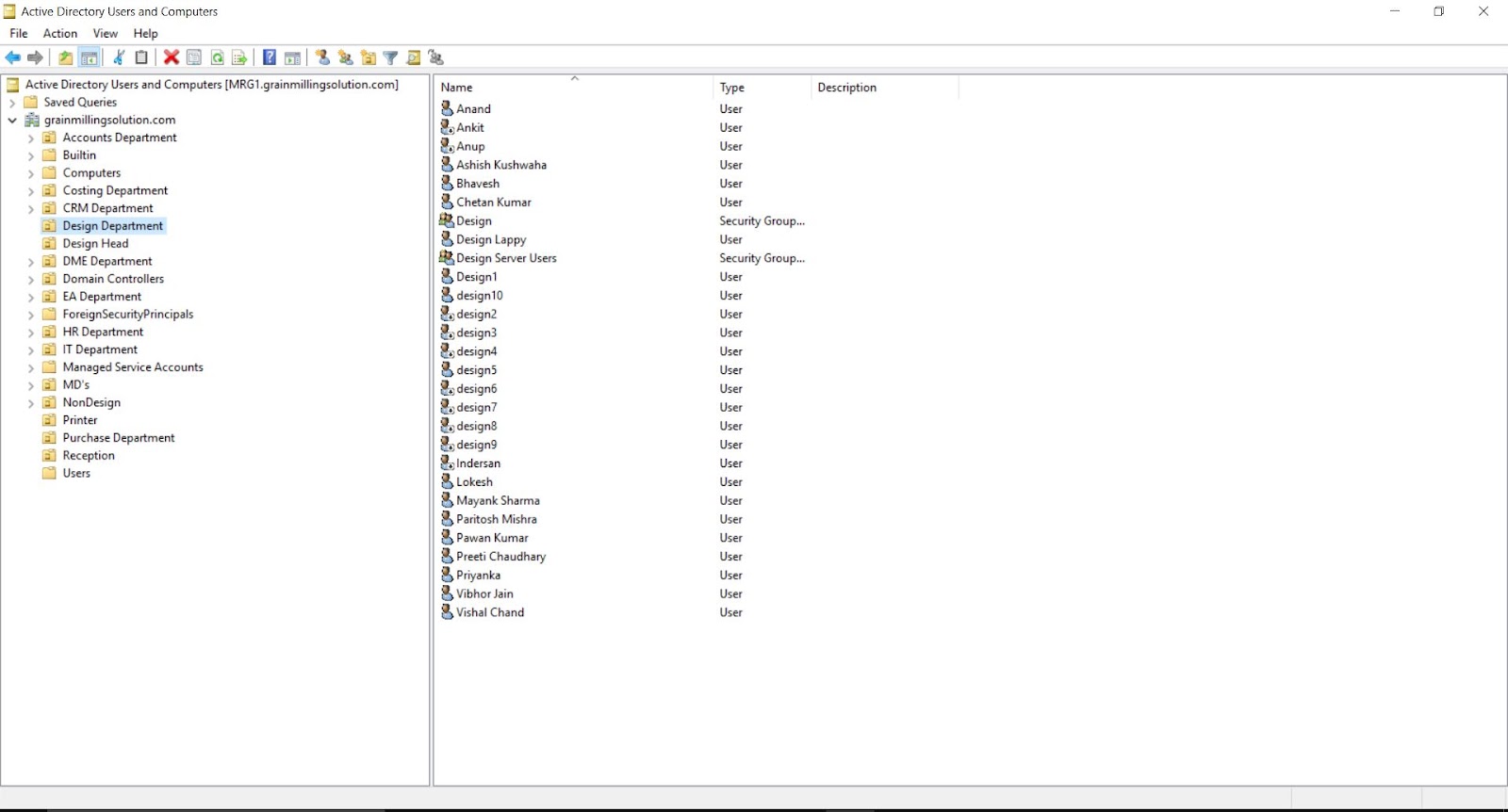
- Managed users, computers, and groups via Active Directory Users and Computers (ADUC).
- Ensured secure domain authentication and connectivity.
2) Department-Wise OU Structure & User Management
Designed a structured Organizational Unit (OU) hierarchy based on departmental segmentation to simplify administration and enable targeted policy enforcement.
- Created OUs for departments: Accounts, Costing, CRM, Design, HR, IT, Purchase, Reception, and Management.
- Implemented role-based access using security groups.
- Managed user lifecycle (creation, modification, permissions).
- Delegated administrative control for efficient management.
3) Group Policy (GPO) Implementation
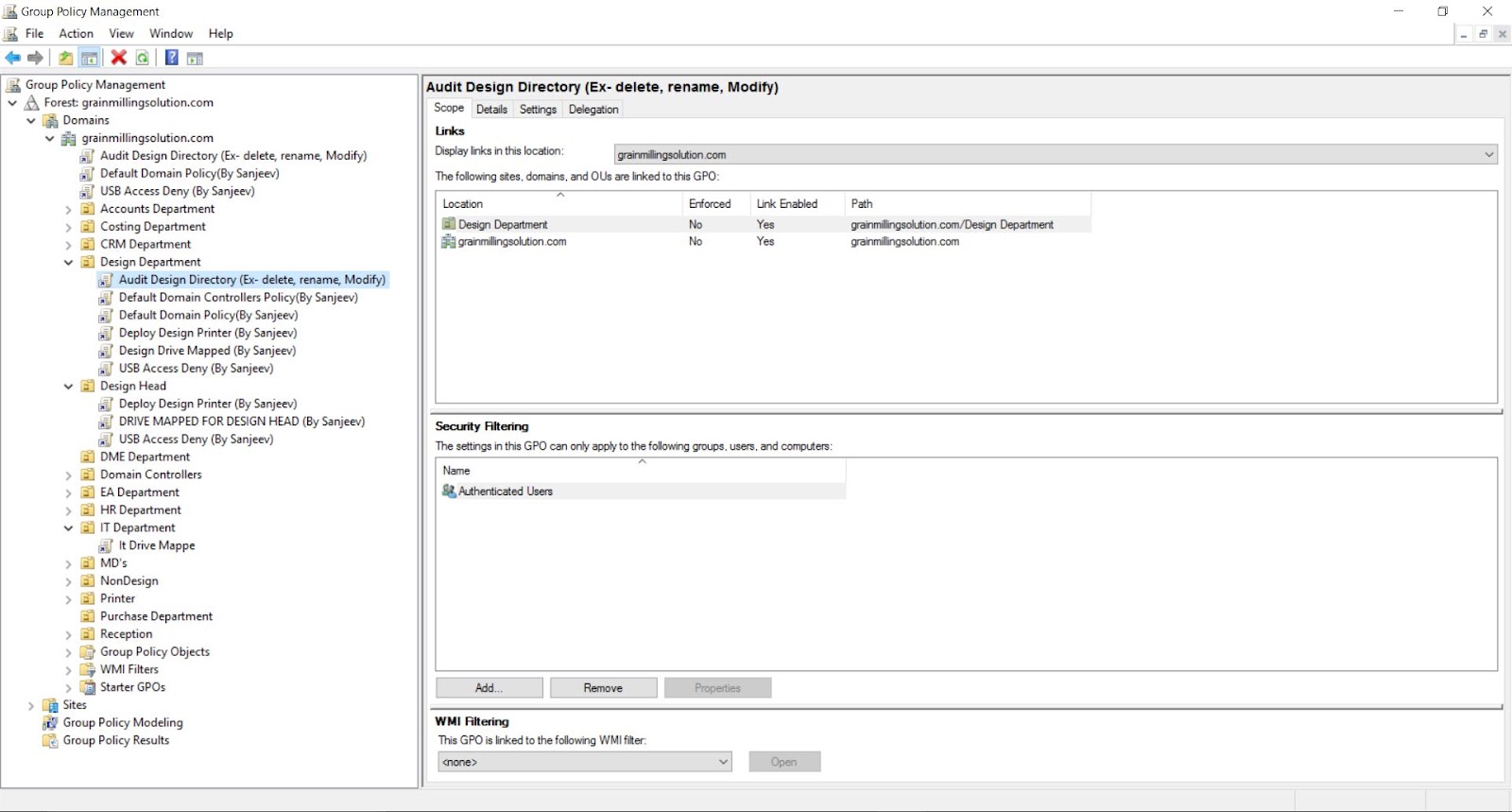
Implemented multiple Group Policy Objects to automate system configuration, enforce security, and standardize user environments.
- USB Restriction Policy to prevent unauthorized data transfer.
- Drive Mapping Policy to automatically connect shared network drives.
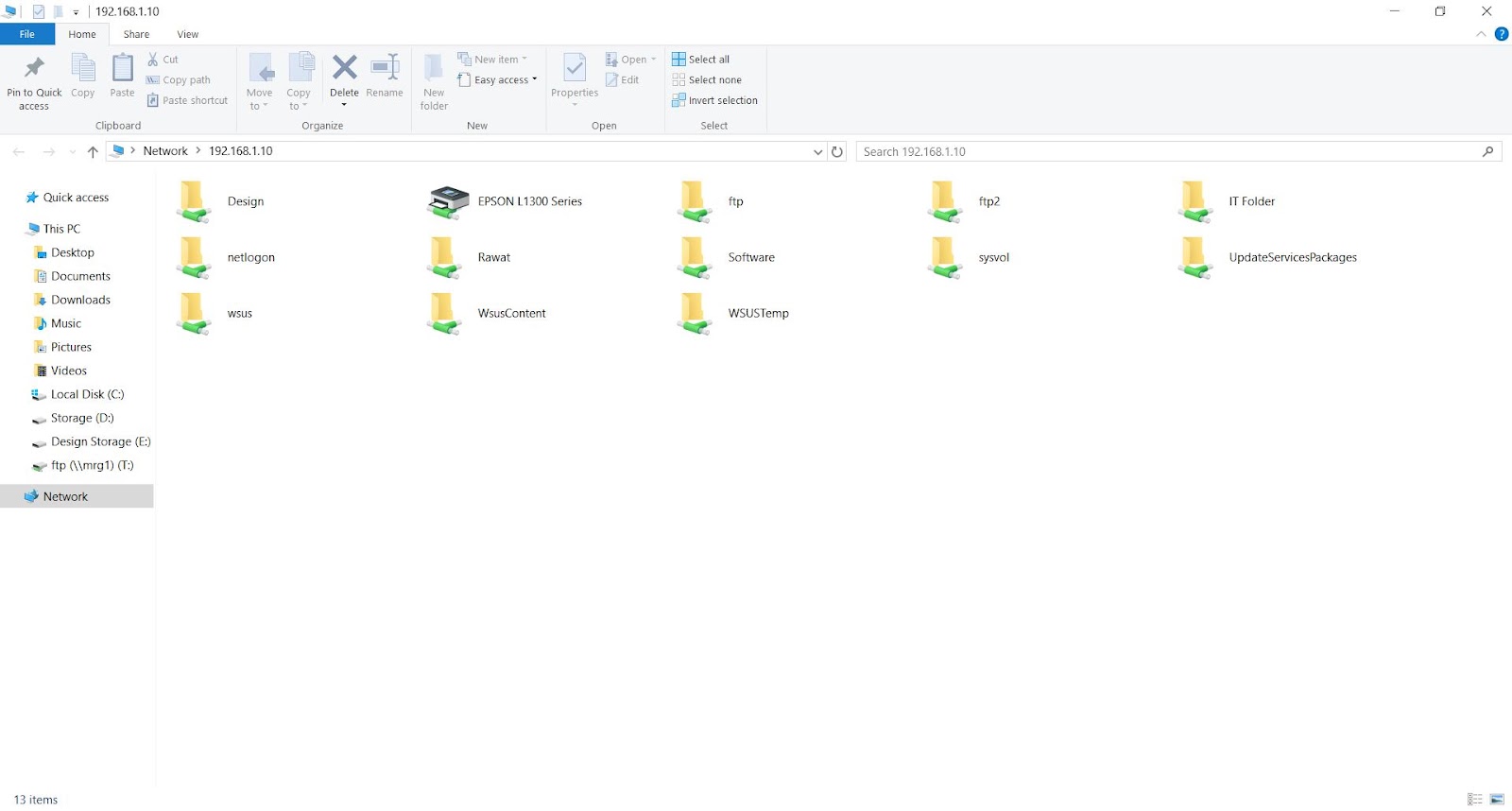
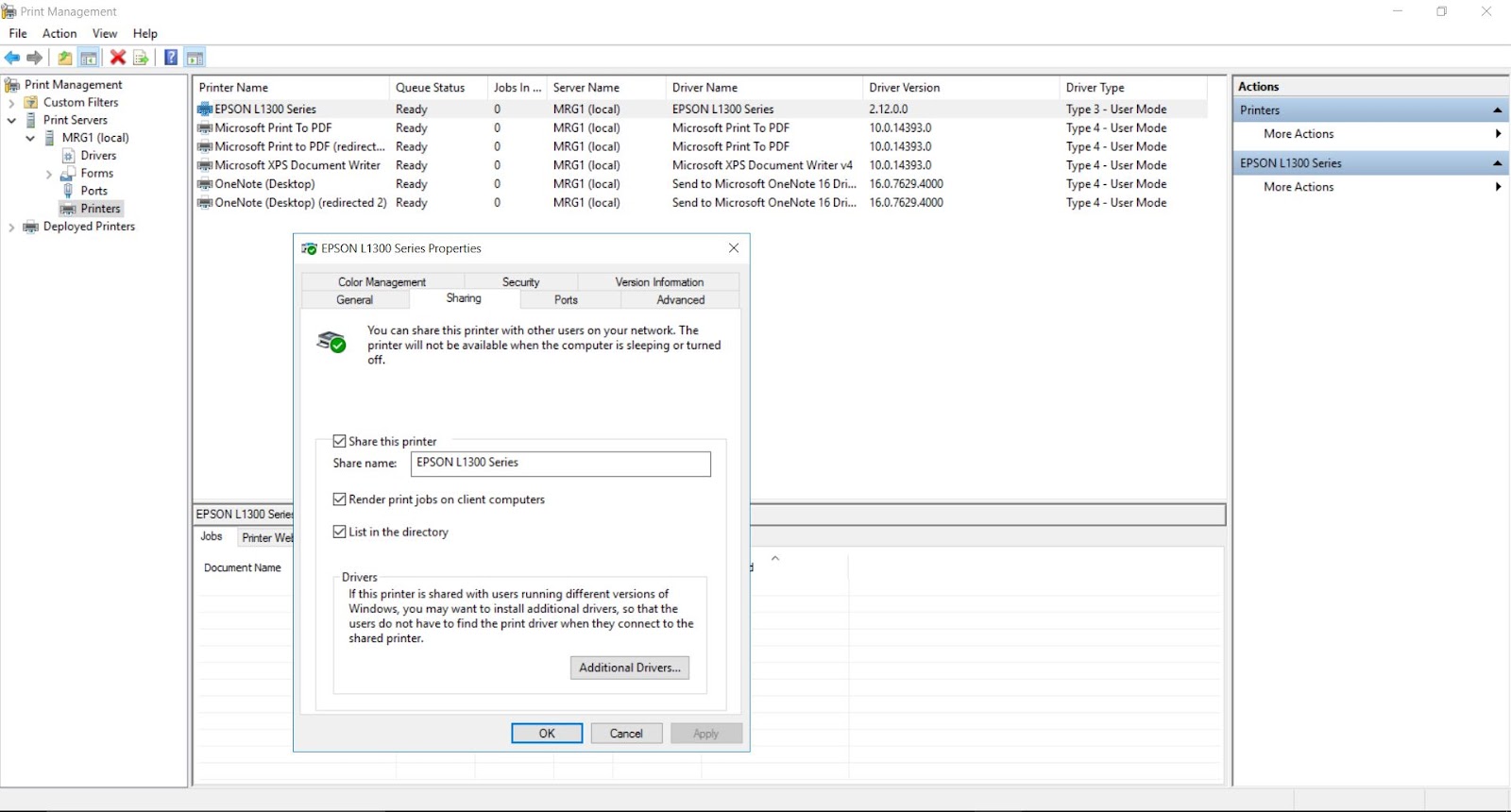
- Printer Deployment Policy for automatic printer setup.
- Security policies including password enforcement, login restrictions, and system hardening.
4) Shared Folder & Access Control
Configured centralized file storage with secure access control to enable safe and efficient data sharing across departments.
- Created shared folders on the server.
- Applied NTFS and share-level permissions.
- Integrated access control using Active Directory security groups.
- Ensured controlled and secure collaboration environment.
5) Backup & Disaster Recovery using Acronis
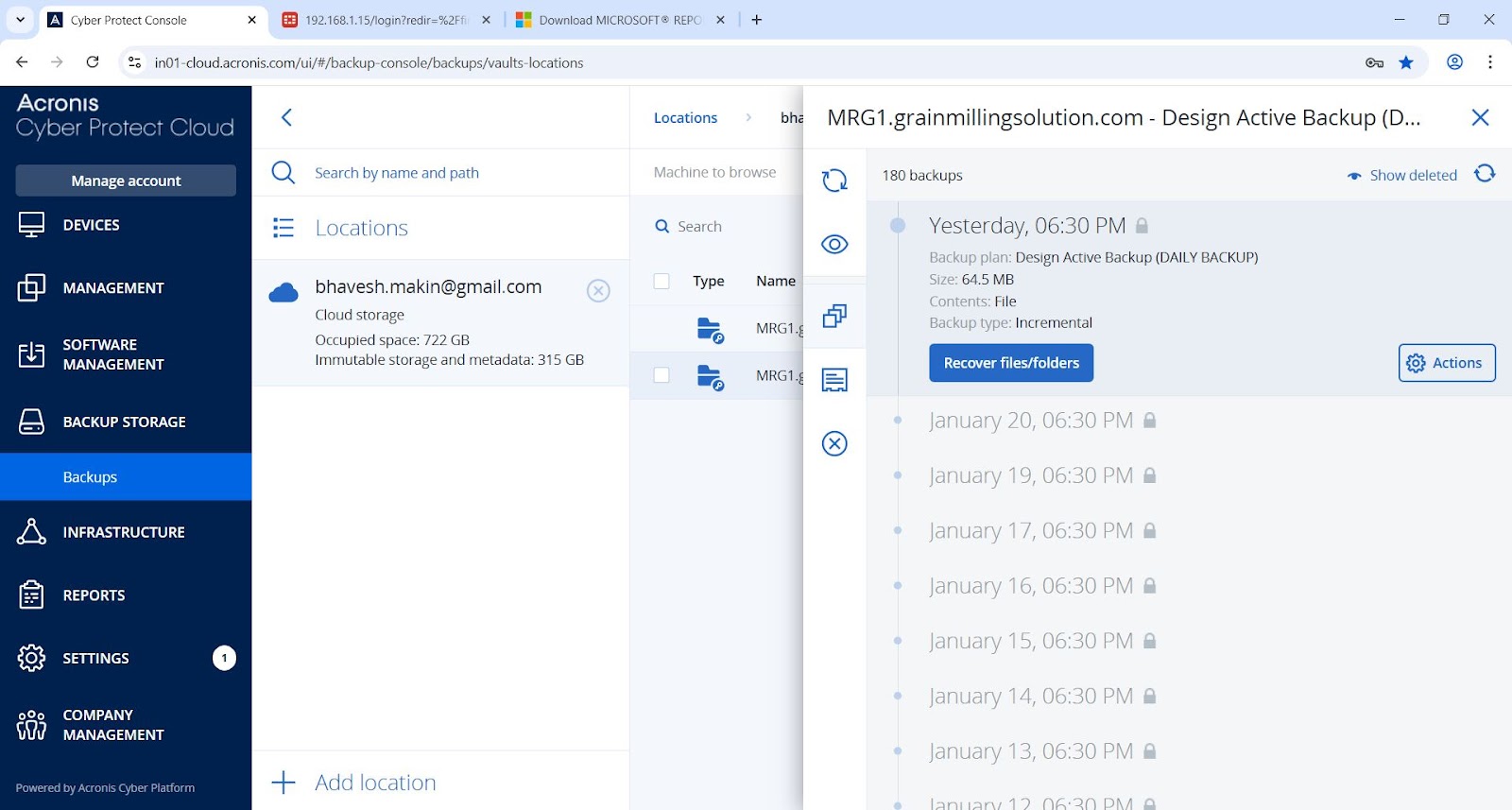
Implemented a comprehensive backup and disaster recovery solution using Acronis Cyber Protect Cloud.
- Configured backup plans for servers and critical data.
- Scheduled daily incremental backups for efficiency.
- Enabled cloud backup for redundancy and protection.
- Tested recovery processes to ensure reliability and readiness.
Key Outcomes
- Centralized user and device management across the organization.
- Improved security through policy-based controls.
- Reduced manual IT workload via automation.
- Enhanced system reliability and operational efficiency.
- Ensured business continuity with a robust backup and recovery strategy.
Project Gallery